
International edition. Amounts use a plain dollar sign as a neutral unit of account, not any one country's money. WinSpin states an offshore Anjouan licence, so no regulator in your own country supervises it or hears player disputes, and the operator has not published which markets it accepts — check your own country's law and the cashier's own terms before you sign up. The partner welcome package linked from these pages is open to players in Australia, Canada, Ireland and New Zealand.
Apps
Is there an app? The honest answer
The question behind the question is usually "am I missing something by playing in a browser?". For this casino, and for most of the segment now, the answer is no — and the search results you get when you go looking for a casino app are their own small hazard.
App availability changes by market and by store policy, so we do not publish a download link or claim a listing exists. The operator's own site is the only place worth checking, and everything useful you would get from an app is available without one.
Comparison
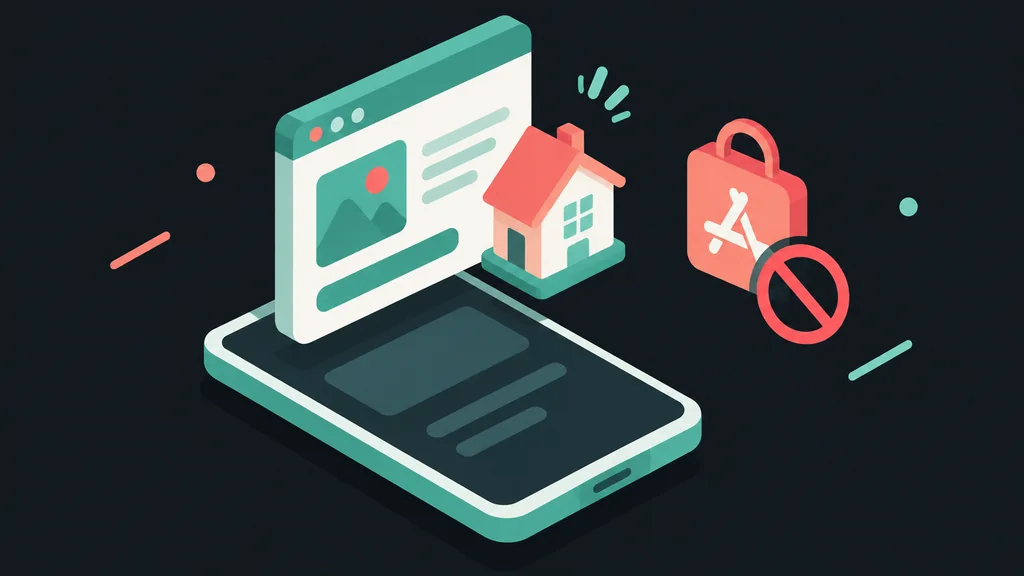
Browser build against a native download
| Consideration | Browser build | Native app |
|---|---|---|
| Getting started | Open the site; add to home screen if you want an icon | Find the correct listing, download, install |
| Updates | Always current — nothing to update | Manual or automatic; an old version is a real possibility |
| Game coverage | The full library | Usually the same, occasionally a subset |
| Device storage | None | Permanent, plus cached data |
| Notifications | None unless you allow them | Push marketing by default — a benefit to the operator |
| Availability risk | Works wherever the site does | Store policies on gambling apps vary by country and change |
| Privacy | Nothing installed on the device | Gambling software permanently on your phone |
The main thing a casino app adds is a channel for the casino to interrupt you. Decide whether that is a feature.On push notifications
Safety

The fake-app problem
Search any casino brand name in a mobile app store and you will get results. Most of them have nothing to do with the operator: play-money clones that borrow the name and the colours, ad-heavy slot simulators, and occasionally something that wants permissions no casino needs. The listings look plausible, complete with screenshots and reviews.
The rule that keeps you safe is simple: never reach a gambling app through a store search. Start on the operator's own site, and follow a link from there to whatever official listing exists. If there is no such link, there is no such app — whatever the store is showing you.
The permission list is the second tell. A casino client needs network access and not much else. Requests for contacts, SMS, call logs or accessibility services on a "casino" app are a reason to close the page immediately, and to report it if the store offers that.
Since a saved-to-home-screen browser build gives you the icon, the full-screen launch and the complete library with none of that risk, the pragmatic answer for nearly everyone is to skip the store entirely. It is the same reasoning as on mobile play.
Under the hood
What "add to home screen" actually installs
Modern browsers can turn a website into what the web standards call a progressive web app, or PWA — a small manifest file tells the browser what icon to use, what colour to theme the status bar, and to launch full-screen instead of inside browser chrome. None of that is a download in the traditional sense; there is no installer file, no store review, and no separate binary sitting on your device outside the browser's own sandbox.
The practical upshot is that a PWA shortcut inherits the browser's own security model rather than an app store's permission system. It cannot silently request contacts or SMS access the way a native package could, because it never leaves the browser's sandbox in the first place — it is still the site, wearing an icon.
Some sites go a step further and cache the shell of the page for a faster reload, which is why a PWA can feel snappier on a second visit even over a slower connection. Game assets themselves still stream live, since a casino cannot let cached, potentially stale results into an outcome that involves real money.
Sequence

Making a home-screen icon in four steps
Open the site in your normal browser
Type the address rather than following a link from a message or an advert.
Sign in and check the lobby loads
If something is going to misbehave, better to find out before you pin it.
Use the browser's share or menu button
Choose "Add to Home Screen". You get a full-screen launch and an icon, with no install.
Leave notifications off
If the site asks for permission to send them, decline. You can always change your mind; marketing prompts rarely improve a session.
Cleanup
If something calling itself the app is already on your phone
If a file with this brand's name is already installed from before you found this page, don't open it again until you've worked through these steps. Since no official listing exists, anything carrying the name arrived from an unverified third party by definition — and the fact that it may have worked without obvious problems so far says nothing about what it does in the background.
Stop signing in through it
If credentials have already been entered there, treat them as exposed and change the password on the operator's real site immediately.
Uninstall it
A standard removal from your phone's settings. Nothing it does is safer than a home-screen shortcut to the genuine site.
Check what permissions it was granted
Review the permission list before removing it, and revoke anything still listed afterwards in your device's privacy settings.
Set up the real shortcut instead
Following the steps above, starting from the genuine site — same convenience, none of the exposure.
None of this is specific to this operator. The absence of a store listing is common across offshore casinos generally, for the licensing reasons covered above, so the same cleanup applies to any brand-named file you find that shouldn't be there.
Questions
App FAQ
Is there an official app?
Availability varies by market and by store policy, and we will not claim a listing exists that we cannot see in your country. Check the operator's own site; if it links to a store listing, that link is the only one to trust.
Am I missing games by using the browser?
No. The browser build carries the library, and it is always the current version.
Does an app pay out faster?
No. Payout speed depends on verification, promotional funds and the payment rail — none of which cares how you opened the cashier. See getting paid out.
Is a home-screen shortcut safe?
Yes — it is a bookmark that opens full-screen. Nothing is installed and nothing gains extra permissions.
What if an app in the store looks official?
Treat store search results as unverified. Reach any gambling app only via a link from the operator's own site, and check the permission list before installing anything.
Can I claim the welcome offer in a browser?
Yes. The offer we link to is claimed at deposit, in whichever way you open the cashier — terms on the offer page.
I already installed a file called the app — what now?
Uninstall it, change any password used inside it on the real site, and check what permissions it was granted before removing it. Replace it with the genuine home-screen shortcut.
Does the shortcut send the same push notifications a real app would?
Only if you allow it, and only where your browser and phone support that for saved sites. It's not the aggressive default a store-installed app usually ships with.
Current offer
120% up to $5,000 + 250 FS
Welcome package from a different casino we work with — not a WinSpin promotion. Wagering 40x, minimum deposit $30, maximum bet $8 while the bonus is live, and the bonus expires 7 days after it lands. Open to players in Australia, Canada, Ireland and New Zealand.